Welcome to Oravo
Your Windows Desktop Text-to-Speech Solution
Transform your text into natural-sounding speech with Oravo 1.3. Perfect for accessibility, productivity, and content creation.
Download Now
Your Windows Desktop Text-to-Speech Solution
Transform your text into natural-sounding speech with Oravo 1.3. Perfect for accessibility, productivity, and content creation.
Download Now
High-quality, natural-sounding text-to-speech voices for a seamless listening experience
Quick conversion with minimal latency
Save your speech as audio files
Works with or without internet connection
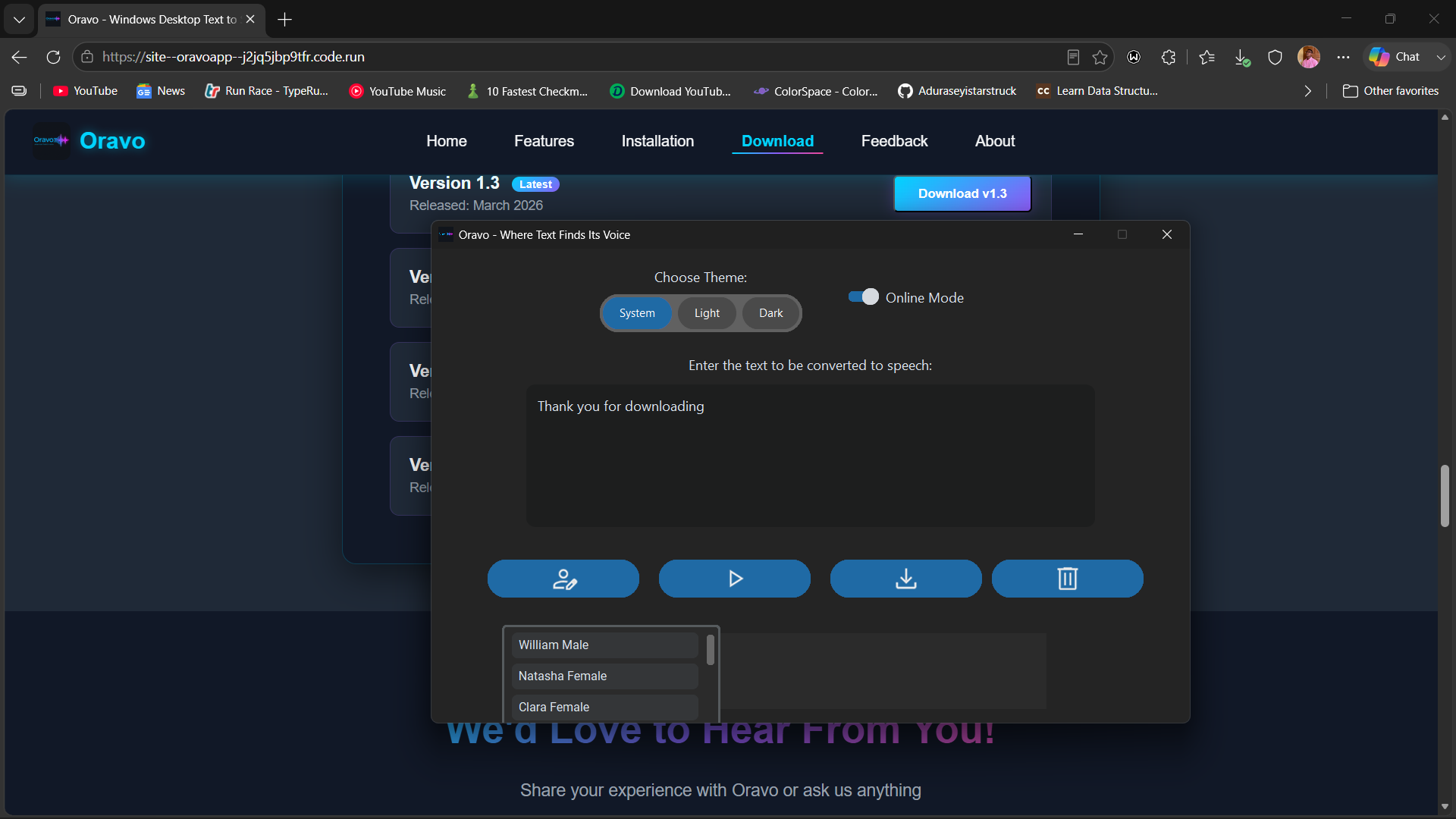
App Interface 1
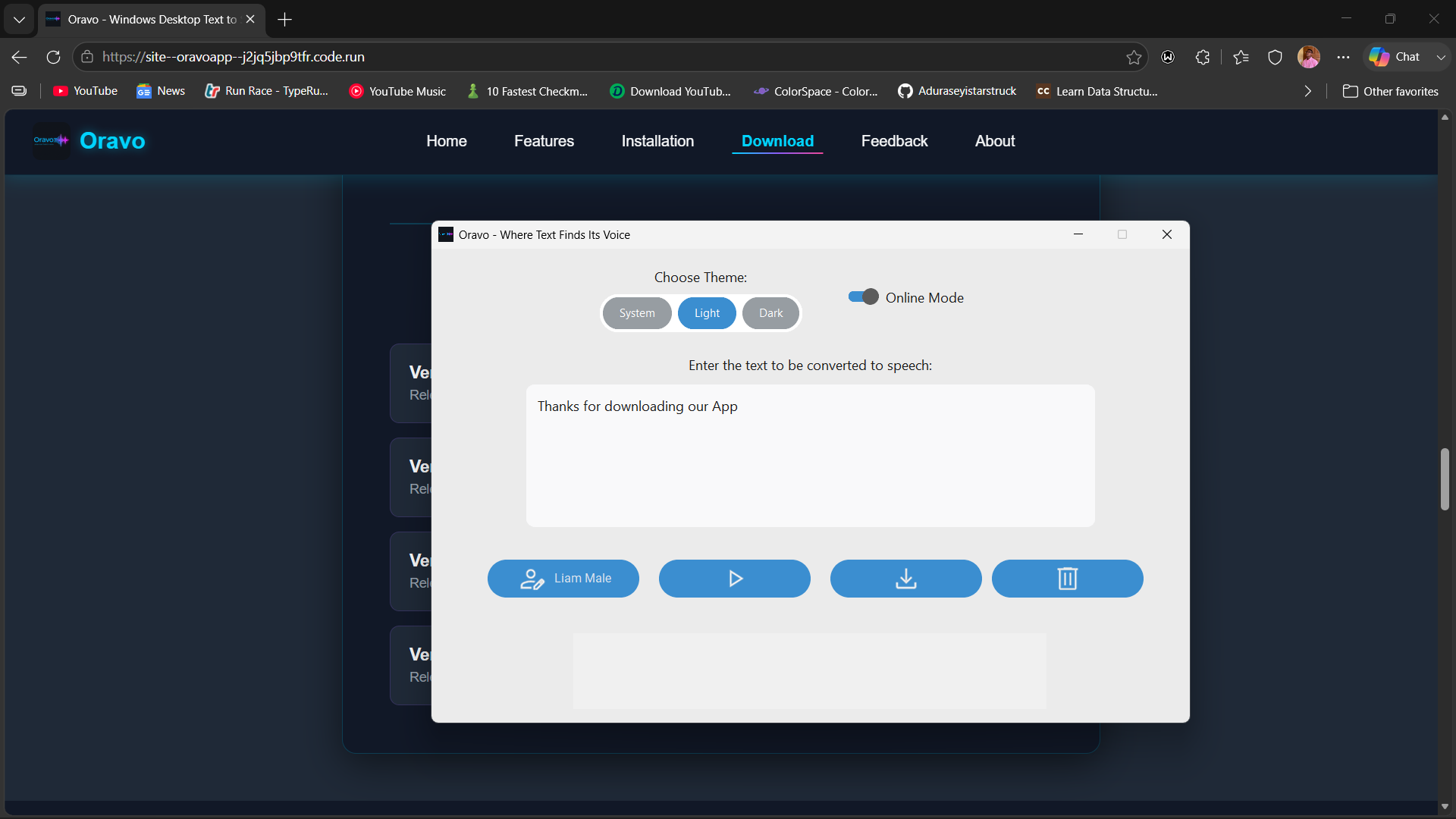
App Interface 2
Quick Tutorial
Pick the method that suits you — all three get Oravo running on your PC. Method 1 requires no security changes at all and works for most users.
Windows Defender stays on the whole time. You only need to tell your browser and Windows SmartScreen that you trust the file — both warnings are normal for apps without a digital certificate downloaded outside the Microsoft Store.
Click the Download button on this page. Oravo_1.3_Setup.exe starts downloading.
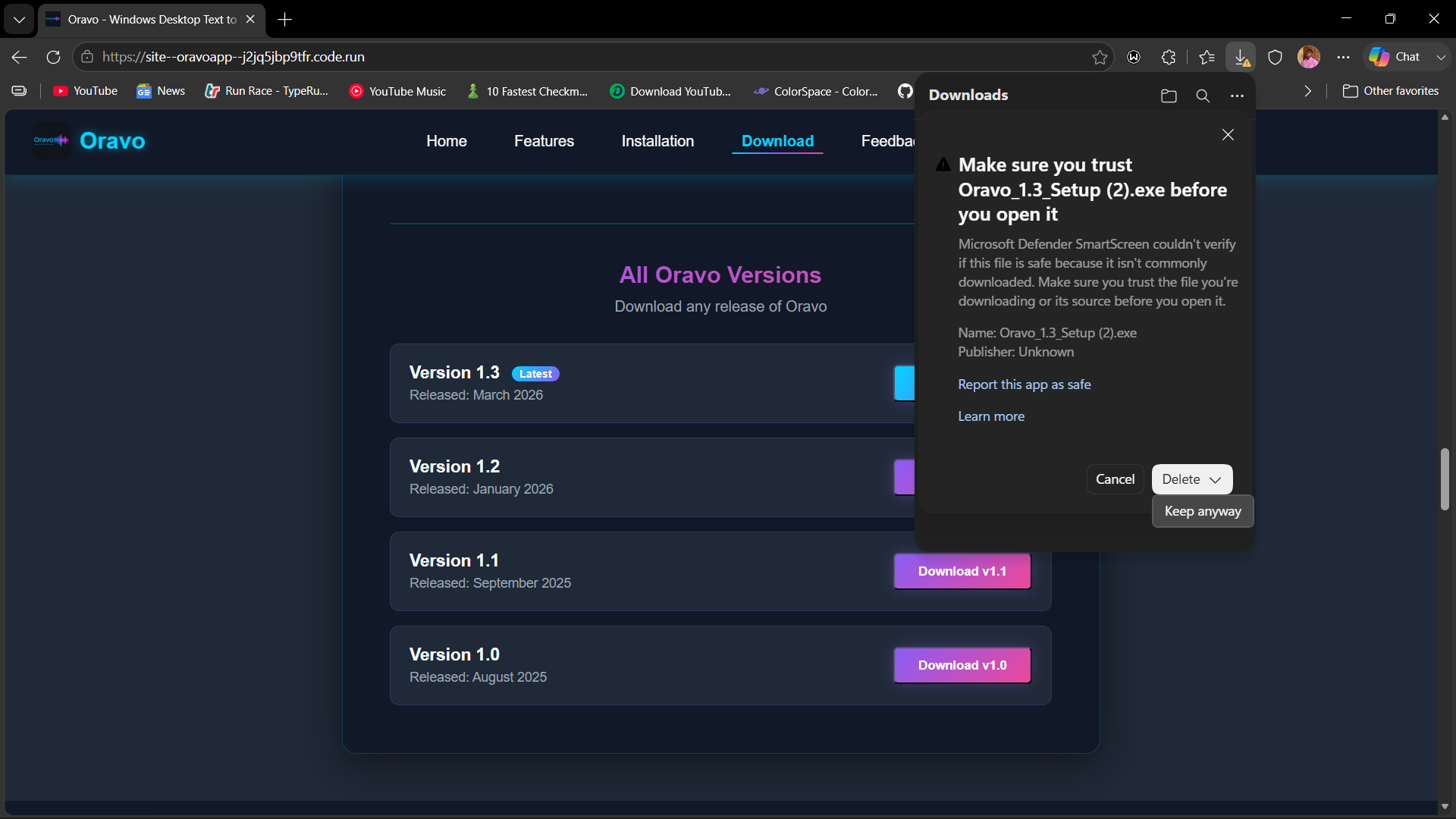
Your browser will flag the file because it is an unsigned .exe. This is completely normal. Here is exactly what to click:
The file now sits safely in your Downloads folder. Defender is still fully on — nothing has changed yet.
Open your Downloads folder and double-click Oravo_1.3_Setup.exe.
This blue screen appears because Oravo does not yet hold a Microsoft code-signing certificate ($300–500/yr). It is not a virus warning — SmartScreen flags any app that has not paid for the certificate.

Click Next, accept the licence, choose an install location, then click Install. When finished click Finish.
🎉 Done! Oravo appears on your Desktop and in the Start menu. Defender was on the entire time — nothing to re-enable.
Oravo contains no malware, spyware, or harmful code of any kind. Windows flags it only because we have not yet purchased a Microsoft code-signing certificate ($300–500/yr). Obtaining that certificate is our top priority as our user base grows. Your support through donations helps us get there faster. Thank you for your trust.
Get started with Oravo for free! Enter your details once to unlock all versions.
Download any release of Oravo
Share your experience with Oravo or ask us anything
Help us become a verified publisher and continue improving Oravo
If Oravo has been helpful to you, consider supporting our development. Your contributions help us:
Every contribution, no matter how small, makes a huge difference
Donate NowShare Oravo with friends, family, and colleagues who might find it useful
Your reviews and suggestions help us improve and attract more users
We're an independent developer passionate about making technology accessible to everyone. Your support helps us:
"Thank you for believing in Oravo and supporting me"
Your donation directly funds the growth of Oravo. Here are the ways you can contribute:
Please use "Oravo Support" as your payment reference.
🙏 Thank you for believing in Oravo. Your generosity keeps this project alive!

Recent Feedback